Mobile Friendly
All Things PG should remain clear, readable, and easy to use on phones and tablets as well as desktop screens.
Mobile-friendly design includes responsive layouts, readable text, touch-friendly controls, accessible navigation, appropriately sized images, and content that remains useful without requiring a wide screen.
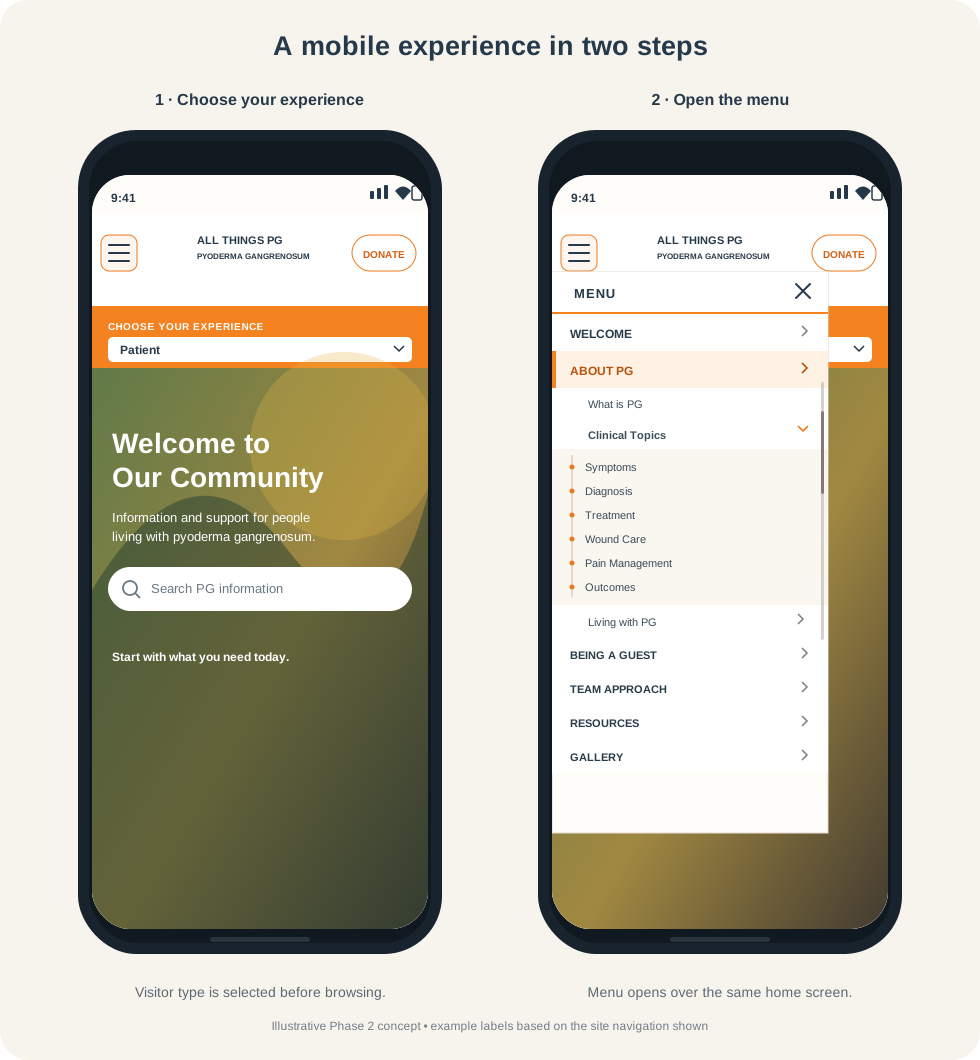
A mobile experience in two steps
Both phone screens show the hamburger menu at the upper left and a Donate button at the upper right. The first screen shows a visitor choosing an experience, such as Patient. In the second, the menu drops down below the hamburger and overlays the home page; menu items expand to reveal submenu choices.
This is a conceptual Phase 2 example, not a screenshot of a finished site. The menu labels are based on the example navigation shown above.