
Selecting a User Experience
We recognize that visitors to our website come for a different purpose. A patient may have just leanred about their diagnosis and wants to learn about their new disease. a Caregiver wants to know why her hustband is in so much pain. A doctor may be treating PG for the first time. A pharmaceutical rep might want to know how to conduct a study on PG, and wants to get to know us better, or they are just a guest and not sure. They just want to know more about PG.
Either way, whoever they are, they are welcome! We want their user experience to achieve the best possible outcomes. Phase 2 represents a different type of website over the static version in Phase 1 built by an editing tool. If you’ve gotten this far you’ve probably learned more about DCMB and our Knowledge Base. That level of detail is important to understand how we can provide to our users and Enhanced User Experience.
What does that mean.
Providing a Custom User Portal and Content
It mean that we can customize what the screen displays based on the type of user visiting a site. Are they a Patient, Caregiver, Provider, Pharmaceutical? If we don’t know who they are, then they are a welcomed Guest. Who do we find out? The Welcome menu is the first menu option available, and the menu items provide pages for Welcome / Patient, Welcome / Caregiver etc. We hope the click one of these, because the screen will change a bit once they do. When they click Welcome / Provider, we will show them a screen that is more appealing to a Doctor than a Caregiver. Perhaps clinical information on diagnsis is more detailed for a Doctor than the one we display for a Caregiver. A Doctor will appreciate that. A Caregiver may not appreciate a tecnical discussion they don’t understand!!
The nice the information we present, the longer they will stay, when the information is relevant to them.
The website will present Patient, Caregiver, Provider, Pharmaceutical, and Guest as choices. When they pick one, we will save their Visitor Type. There are two ways to select Visitor Type. The first we just discussed, on the Welcome menu, the other is the drop down in the breadcrumb bar which prompt Chose your Experience. They both do the same thing.
Selecting User Experience
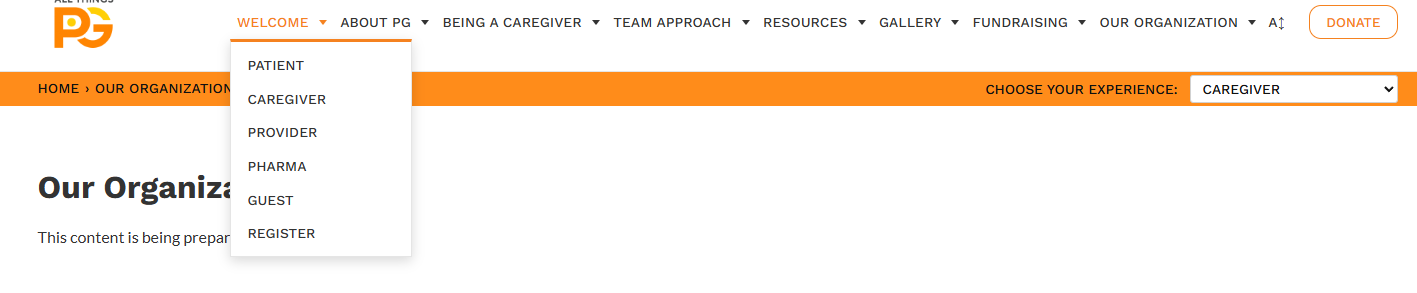
This example shows the experience selector set to Caregiver while the Welcome menu also offers Patient, Caregiver, Provider, Pharma, and Guest paths. It illustrates that the visitor can see which experience is active and reach other paths from the site navigation.
What happens after I make a selelction?
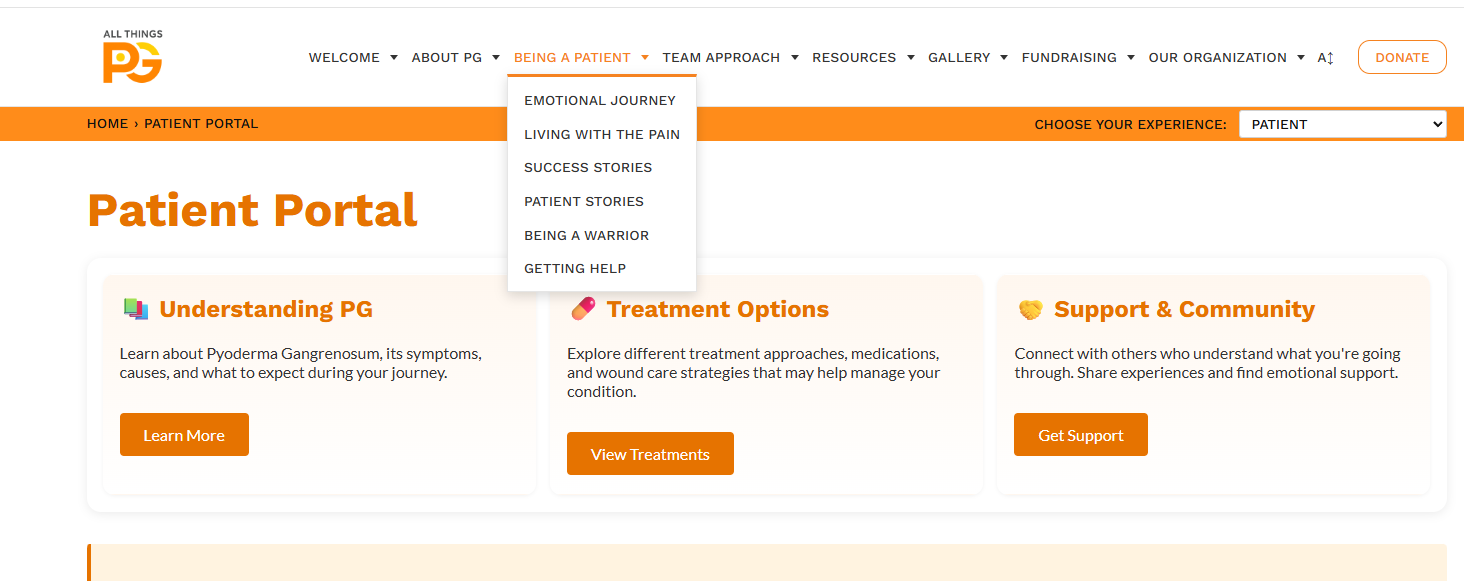
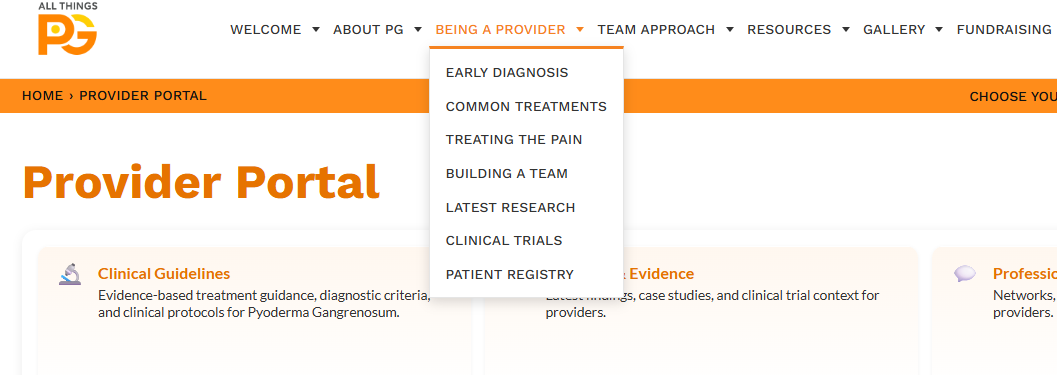
Once we know who you are we can customize the screen (web page) and we can present different menus and content. That is the core of capability for DCMS, which stands for Dynamic Content and Menu System. If they select ‘Patient’ you’ll notice there’s a new set of menu items entitled Being a Patient. If they select Provider you’ll see Being a Provider and the list of menu items will change. Same with Being a Caregiver. I have not flushed out the Pharmaceutical role, I’m waiting to talk to Leo about that.
Patient Menu
Provider Menu
Registering a User
The Welcome menu includes a Register option. There are several reason why a user should register. The first is that we can save their Visitor Type with their email. We also have Newsletters, Events, Fundraising Drives, Information Updates and more. The more we know about the user the better. A register user can even become a Member, which may offer unique opportunites. I have not flushed out those requirements as a wish-list item, but I can see possibilites involving status and donations.
When a user returns to the website, we can through the use of cookies, remember their email address, look it up, and prefill any selection such as Visitor Type. We could even save their Visitor Type without registration as their ‘last’ visitor type. But that’s a different thing.
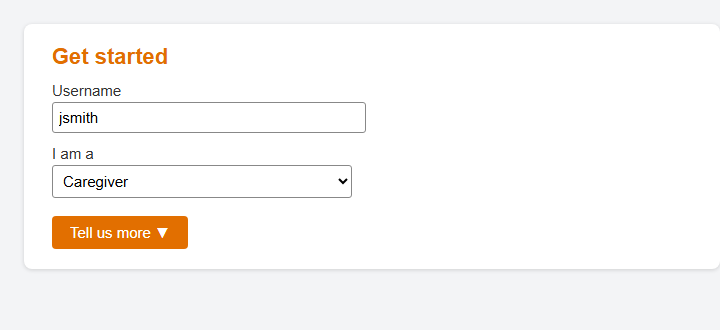
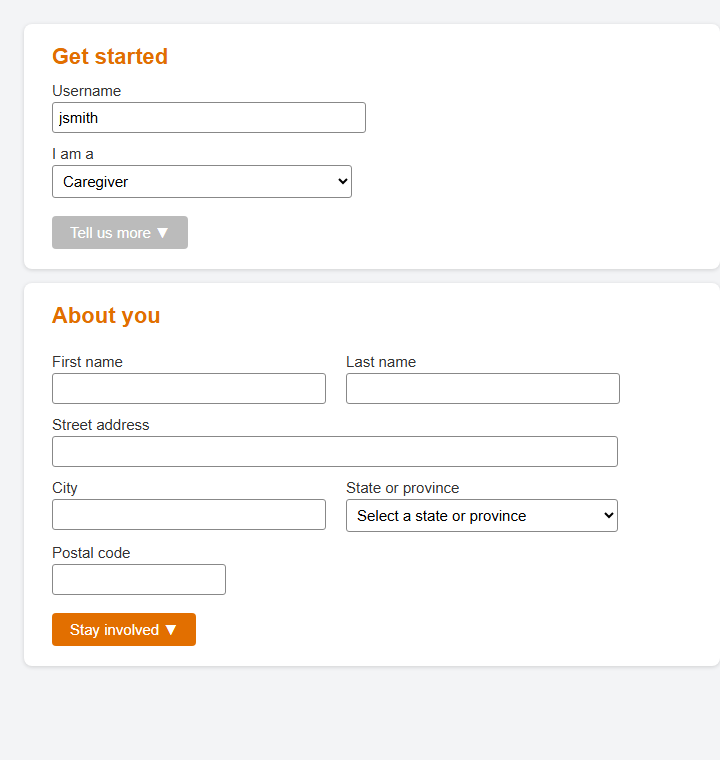
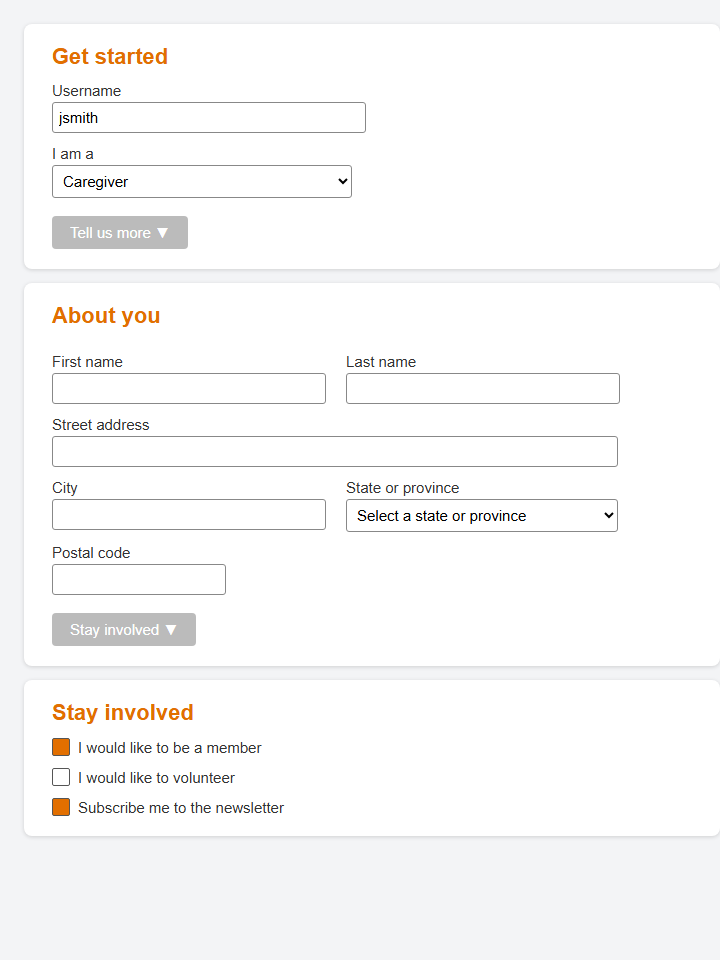
I envision different levels of registration, with different advantages, and its up to the user how much information they want to present, or none at all. For example, the first registration they may face is:
Step 1: Get Started
Step 2: About You
Step 3: Stay Involved
Design questions for the finished experience
- Should the visitor’s selection persist when they move between pages or return later?
- How should shared topics appear in more than one experience?
- When the same subject needs different audience-specific content, how should the site make that distinction clear?
- What should happen when a visitor follows a link intended for another audience?
- How should the experience selector work on small screens and for keyboard and screen-reader users?
These are product and usability decisions for the finished site. The POC establishes a useful pattern to evaluate; it does not answer all of them.